
Slice Sculpture GeneratorA shape becomes numbered slices that interlock or stack
Pick a shape, and the tool slices it into flat laser-cut pieces with a number on each one. Build it two ways: ribs that drop onto a spine and lock without glue, or flat layers stacked on two dowels. No sign-up, no account.
Sliced sculptures are a classic laser project: a sphere, an animal or a letter made of nothing but flat slices that interlock. Autodesk's Slicer for Fusion 360 made them easy and was then discontinued, leaving makers with spreadsheets and guesswork. This tool brings the two most used styles back, in the browser. Choose a shape, set the size and your material thickness, and download one SVG per sheet with every piece numbered and packed to fit your laser bed. The 3D view shows the finished piece from every angle; the Explode slider pulls it apart so you can see how it goes together.
Made for first-time makers. The slot widths follow the thickness you type in, so the ribs press together instead of rattling; the pieces are numbered in assembly order; and the build steps below are the whole method.
Sheets of 3 mm (1/8 in) plywood, MDF, cardboard or acrylic, and a laser that cuts through them. The default sphere packs onto two sheets that fit an entry-level 300 × 200 mm bed; the sidebar shows the sheet count for whatever you design. The Stacked style also needs two wooden dowels (6 mm or 1/4 in by default) and wood glue.
Art and STEAM teachers who want a 3D result from a 2D machine, library makerspaces looking for a first laser project that is not a keychain, and anyone who misses Slicer for Fusion 360. A sliced sphere or a block letter is a class period; the elephant is a weekend.
For the two most used styles, yes. Autodesk's Slicer turned a 3D model into interlocked or stacked slices with numbered parts and assembly steps, and was discontinued. This tool does the same in the browser for a library of built-in shapes, with every part numbered and the build steps on this page. The elephant preset was cut from 3 mm plywood and assembled on October 28, 2026: every rib pressed in and held, and it stands on its own. Uploading your own 3D model is the next version.
3 mm (1/8 in) plywood or MDF is the sweet spot: stiff enough to stand, thin enough for the slots to bite. Cardboard and acrylic work too. Measure your sheet with calipers and type the real number into Material thickness under Advanced: the slots are cut to that width, less a hair so they press together.
The slot width comes from the Material thickness setting, minus 0.1 mm so that the finest laser cuts a press fit. Too tight: your sheet is thicker than the setting, so raise the number a little. Too loose: lower it, or add a drop of wood glue in each slot, which is what most makers do anyway.
A hole needs a wall of material around it. Where a layer is too small for that, like the top and bottom caps of a sphere or the tip of an elephant's trunk, the piece has no holes and is glued on. The sidebar counts those pieces so you know before you cut.
The default hole fits a 6 mm or 1/4 in wooden dowel with a slip fit, and the sidebar tells you how long to cut them. Bamboo skewers work for small pieces: set Dowel thickness to 3 mm. Any size from 2 to 10 mm can be typed in.
Not yet. Version 1 ships six built-in shapes so a first-time maker can start from a known-good design. STL upload is planned as the next version; tell us with the feedback button if you want it sooner.
No. The Slice Sculpture Generator is browser-based and free. No sign-up and no account. Designer Bee keeps only anonymous usage stats, like which settings get exported, to keep improving the tools.
Liked this one? These use the same kind of machine.
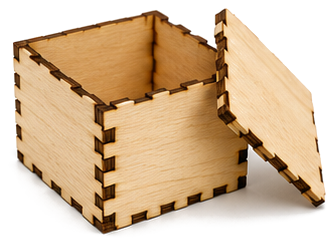
Flat-pack box panels with finger joints, export a single laser-ready SVG.
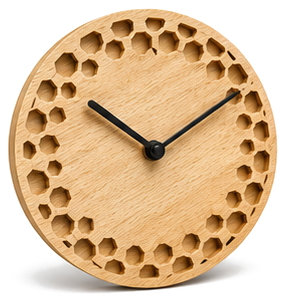
Pick a style, set the size, and export an SVG ready for laser cutting.
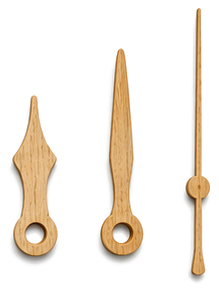
Shape the hour, minute, and second hands, export SVG or STL.
