
Laser Cut Box GeneratorFinger-jointed flat-pack box panels
No problem: there's likely a public-library makerspace near you with a laser cutter. Many let you use the machines free with a library card; you just pay for materials.
Finger-jointed flat-pack box panels: exports laser-ready SVG packed for efficient material use. No signup.
Designer Bee's free laser-cut box generator produces finger-jointed flat-pack panels you can assemble without glue. Set length, width, and height; pick a material thickness; tune the finger width; choose a lid — none, drop-on, or hinged on laser-cut disc hinges with no hardware. Export a single SVG with all panels packed for efficient material use, cut lines in red, ready for LightBurn, xTool Creative Space, Glowforge, LaserGRBL, or any laser software, entirely in your browser, no signup.
The length, width, and height sliders are the internal dimensions: the usable space inside the finished box. That is what most people care about, since you are usually sizing the box around something you want to fit. The finished box is one material thickness larger on each wall, so the outer footprint is your length and width plus twice the material thickness (for example, a 100mm / 4 in internal length in 3mm / 1/8 in ply gives a roughly 106mm / 4.2 in outer length). The assembled preview thumbnail shows that finished outer size.
A single flat SVG with all six panels (or five if no lid) packed for efficient material use. Cut lines are red strokes by default; finger joints are sized to your chosen material thickness so panels self-align without glue. Open in LightBurn, xTool Creative Space, LaserGRBL, or Glowforge: most laser software treats different colors as different operations.
Yes: open Advanced Design → Lid and choose Hinged. The hinge is cut entirely from your sheet: each side wall grows a small ear with a round seat, and a slotted disc glues onto a tab at the lid's back corner, then pushes into the seat. The disc is the bearing, so there is no metal rod and no store-bought hardware. Assembly is three steps: glue the box (not the lid), glue each disc onto its lid tab, then bow the side walls slightly outward and pop both discs into their seats. The lid swings past 90° and a thumb notch in the front wall makes it easy to open.
3mm (1/8 in) plywood or MDF is the sweet spot for a sturdy, friction-fit box on most diode and CO2 lasers. The finger-joint geometry is computed from the thickness slider, so set it to the actual measured thickness of your sheet (often 2.7mm for nominal 3mm ply, and about 5.2mm for nominal 1/4 in ply); accuracy matters more than the round number.
Friction alone holds the box together for assembly and dry-fitting. For permanent use, dab wood glue along the inside of each finger joint before the final tap-together. The kerf compensation is conservative, so if the fit is too tight, increase the finger width slightly or sand the joints lightly.
No. The Laser Cut Box Generator is browser-based and completely free. No sign-up and no account; your design work happens right in your browser. Designer Bee keeps only anonymous usage stats, like which settings get exported, to keep improving the tools.
Liked this one? These use the same kind of machine.
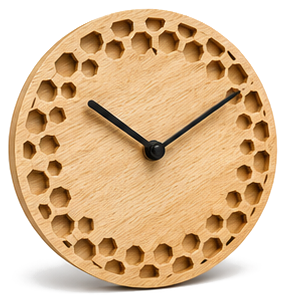
Pick a style, set the size, and export an SVG ready for laser cutting.
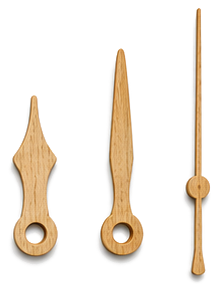
Shape the hour, minute, and second hands, export SVG or STL.
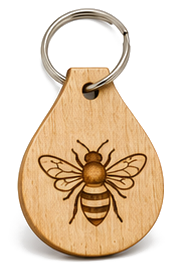
Personalized name tag with engraved symbol, export laser-ready SVG.