Free Clock Face Generator
Browser-based clock face designer for laser cutting: exports SVG with cut and engrave layers. No signup.
About the Clock Face Generator
Designer Bee's free clock face generator helps you design custom laser-cut clock faces in your browser, no account, no software install. Start from one of 7 presets or build from scratch. Choose from 6 outer shapes (circle, square, hexagon, octagon, scalloped, rounded square), pick Arabic or Roman numerals in 5 font styles, and add decorative border patterns, scatter shapes, crosshatch fills, or a 360-degree custom text ring. Every design exports as a laser-ready SVG with cut and engrave layers separated, sized in real millimeters and ready for LightBurn, xTool Creative Space, Glowforge, LaserGRBL, and any other laser cutter software.
Features
7 presets, 6 outer shapes, Arabic and Roman numerals, 5 font styles, custom text ring, border patterns, scatter shapes, crosshatch fill, minute labels, learning clock mode for kids, and separate cut/engrave layers in the exported SVG.
File Format & Compatible Software
Exports SVG files with millimeter units and separate cut/engrave layers. Compatible with LightBurn, LaserGRBL, Glowforge, xTool Creative Space, Epilog, and any laser cutter software that reads SVG.
Need matching hands?
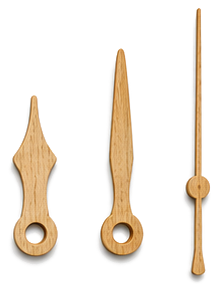
Design the hour, minute, and second hands with the Clock Hands Generator. Same millimeter units, choose SVG for laser cutting or STL for 3D printing.
Who Is This For?
Perfect for makers, makerspace users, teachers creating learning clocks, hobbyists personalizing home decor, and small businesses producing custom clock faces. No design experience needed: if you can move a slider, you can make a clock.
Frequently Asked Questions
What file format does the clock generator export?
SVG with millimeter units and separate cut/engrave layers. Works with LightBurn, LaserGRBL, Glowforge, xTool Creative Space, and any software that reads SVG.
Do I need to create an account?
No. The Clock Face Generator is browser-based and completely free. No sign-up and no account; your design work happens right in your browser. Designer Bee keeps only anonymous usage stats, like which settings get exported, to keep improving the tools.
Can I use the clock designs commercially?
Yes. The designs you create are yours. Designer Bee is just a tool: what you make with it belongs to you.
What makes this different from other clock face generators?
Designer Bee offers 7 presets, 6 outer shapes, separate cut and engrave layers, decorative patterns, scatter shapes, crosshatch fills, a learning clock mode for kids, and 360-degree custom text rings, all free with no account required.
Does it work with LightBurn, xTool, and Glowforge?
Yes. The exported SVG uses millimeter units with separate cut and engrave layers, so it imports cleanly into LightBurn, xTool Creative Space, Glowforge, LaserGRBL, Epilog, and any other laser software that reads SVG.
Can I make a learning clock for kids?
Yes. The learning clock mode adds the minute count (5, 10, 15, …) around the outside so children can read both hour and minute positions at a glance, popular with teachers and parents.