
Paper AgamographTwo pictures → one fan-folded page
Two pictures on one printed page: fold it like a fan and the picture changes as you walk past. Print, cut, fold. No laser, no sign-up.
Upload two pictures and the tool slices each into strips and lays them out one strip of each in turn, with a dashed line for every fold. Download the page as a PDF, print it, and fold it into a zigzag. The 3D view shows the folded piece from the left, the front and the right before you print anything, and the Fold slider folds and unfolds it.
Any colour printer, one sheet of Letter or A4 paper (card stock looks best), and scissors. With thin paper, a glue stick and a strip of card to stand it on.
A low-prep activity for grades 4 to 6 that fits in 30 to 45 minutes: students choose or draw two pictures that belong together (day and night, before and after, a question and its answer), and the folding itself takes about ten minutes. The Classroom preset uses six wide strips per picture, which small hands fold easily. Along the way students see how the eye joins strips into one picture and why the viewing angle matters, the same idea behind lenticular prints and those flip pictures on cereal boxes.
Student photos stay on the classroom computer: everything runs in the browser and nothing is uploaded.
An agamograph is art that changes as you walk past it. Two pictures are cut into strips and laid side by side, one strip of each in turn, on a page folded like a fan. From the left you see one picture, from the right the other.
Card stock (about 65 lb or 170 g/m²) holds its folds and stands up on its own. Plain printer paper works too; glue the back folds onto a strip of card so it stays open.
A folded page has two sides to every fold, so it shows two pictures. The laser-cut agamograph adds a third picture on a board behind the strips.
Straight on, you see half of each picture's strips at a slant, so both pictures mix. Step 45 degrees to the left or right and one picture lines up. That angle is the whole trick.
Yes. The Agamograph Generator makes a three-picture version that a laser engraves and cuts from plywood. Most public-library makerspaces have a laser you can use free with a library card.
No. The Paper Agamograph is free and runs in your browser. No sign-up, and your pictures never leave your device. Designer Bee keeps only anonymous usage stats, like which settings get downloaded, to keep improving the tools.
Ready for wood? The Agamograph Generator makes the three-picture laser version.
Liked the paper one? The laser-cut agamograph has three pictures, engraved on plywood, and most public-library makerspaces have a laser you can use free with a library card.
Liked this one? Try one of these next.
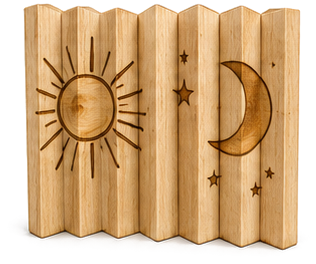
Three pictures in one engraving: left, front and right change as you walk past. Laser engrave and cut, no glue.
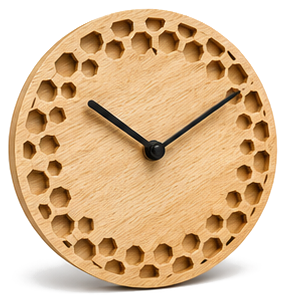
Pick a style, set the size, and export an SVG ready for laser cutting.
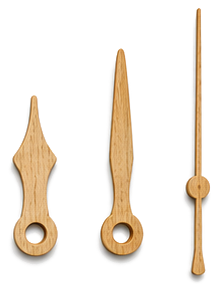
Shape the hour, minute, and second hands, export SVG or STL.