
Text Flip GeneratorTwo names, one 3D print, reads from each angle
No problem: there's likely a public-library makerspace near you with a 3D printer. Many let you use the machines free with a library card; you just pay for materials.
Two names, one 3D print: each reads from its own angle. Exports STL for any FDM slicer. No signup.
A text flip (sometimes called a dual-name flip or 3D ambigram) is a single 3D-printed object that reads as one word from the front and a different word from the side. Type two names, adjust the letter height, watch the live 3D preview rotate, and export a binary STL ready for Bambu Studio, Cura, PrusaSlicer, OrcaSlicer, or any FDM slicer, entirely in your browser, with no signup.
A text flip (sometimes called a dual-name flip or 3D ambigram) is a single 3D-printed object that reads as one word from the front and a different word from the side. The geometry is the intersection of two extruded text shapes: when you look straight at it from one axis you see only the first name, and from the perpendicular axis you see only the second.
A single mesh with the voxel-intersection geometry of both names, plus thin breakaway support blades baked in wherever a letter truly needs them (the tips of E, F and T crossbars, for example). Print it exactly as downloaded with slicer supports turned OFF. Each blade deliberately stops one layer height below the surface it holds up, so it never fuses to your letters and lifts away with a gentle sideways push instead of needing to be cut out. Set Layer height under Advanced to whatever your slicer uses so that gap comes out right. Bridges and gentle curves are left bare on purpose: FDM printers handle those cleanly without help. Prefer full control? Turn off Breakaway supports under Advanced and add your own in Cura, PrusaSlicer, Bambu Studio, or OrcaSlicer.
Any translucent grey shapes in the 3D preview are removable print supports, not part of your design. The tool adds them automatically, and only where a letter would otherwise sag while printing (like the tips of E, F or T). They come out in the exported STL and lift away by hand after printing, leaving your finished letters smooth. Prefer to add your own supports in a slicer? Turn off Breakaway supports under Advanced.
Short names (3-6 letters) print fastest and read most clearly. Letters with strong vertical strokes (M, H, K, T, L) intersect cleanly; letters with thin diagonals or curves (X, S) may produce delicate sections that benefit from a slight scale-up. Both names should have similar character counts to keep the silhouette balanced.
No. The Text Flip Generator is browser-based and completely free. No sign-up and no account; your design work happens right in your browser. Designer Bee keeps only anonymous usage stats, like which settings get exported, to keep improving the tools.
Liked this one? These use the same kind of machine.
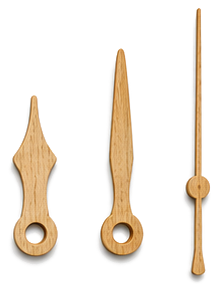
Shape the hour, minute, and second hands, export SVG or STL.
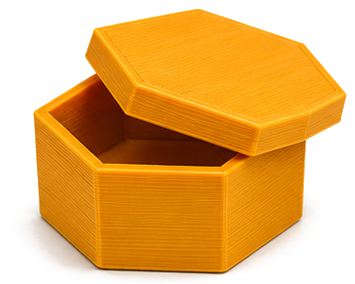
Rectangular, hex, or round boxes with lids and compartments. Export an STL for 3D printing.
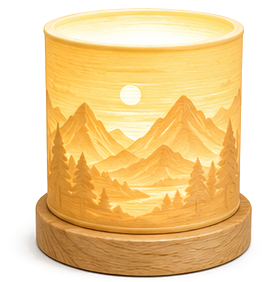
Turn any photo into a 3D lithophane, export an STL for 3D printing.